
Product · Workflows
Handle enquiries without anything falling through the cracks.
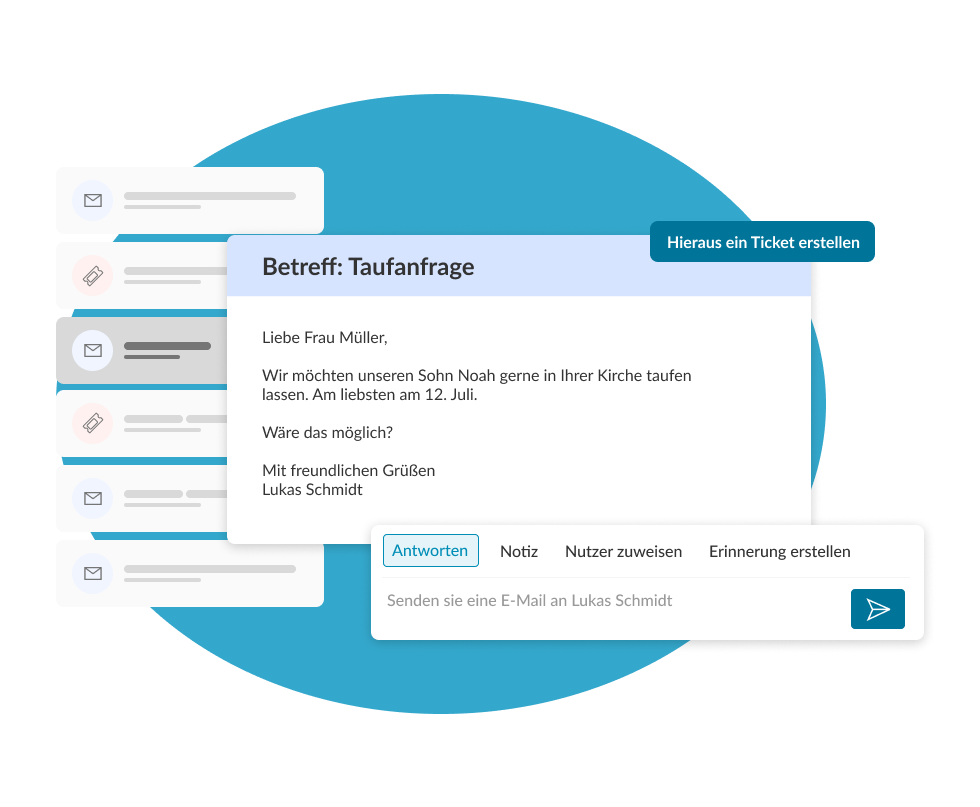
Baptism requests, room bookings, complaints: many processes run in parallel in the parish – often in personal mailboxes, where they disappear when people go on leave or change. ChurchDesk Workflows bundles requests in a shared inbox and makes every process traceable and easy to manage.
What it does
One place for every request – instead of scattered mailboxes.
If requests are left in personal mailboxes, they are lost during leave or illness or staff changes – and no one knows what was promised. Workflows brings processes, tasks and communication together in one place: reliable for members, relieving the team, transparent for the diocese and regional church.
For the member
Concerns are answered reliably – regardless of who is currently on duty or on leave.
For the team
A shared inbox instead of many personal inboxes: everyone can see what needs to be done and who is responsible.
For the diocese and regional church
Traceable processes across municipal boundaries – with complete documentation and clear responsibilities.
Every case is connected to the relevant contact, event and email.
Workflows accesses the same data as the rest of the platform: A case is linked to the contact in the CRM, the appointment in the calendar and the received email – instead of being in a separate ticket system.
This means your parishes work on one system, and dioceses and regional churches keep track of processing and responsibilities.
- CRM
- Calendar
- Forms
- Church app
- Self service
Shared inbox
All requests come together in one inbox.
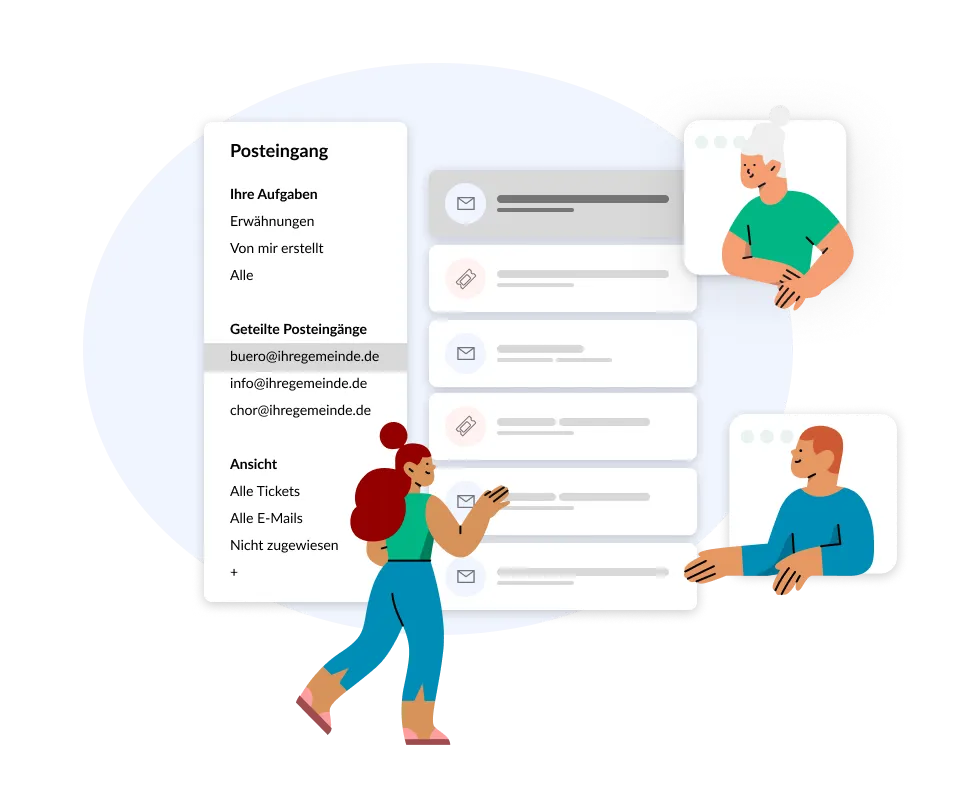
Instead of managing info@, buero@ and chor@ separately, Workflows bundles shared inboxes in one place. Everyone sees their own tasks, open tasks and what has not yet been assigned to anyone.
- Shared inboxes: info@, buero@ or chor@ of your parish in one place – not in private mailboxes.
- Clear responsibilities: Own tasks, “Unassigned” and open tickets at a glance.
- Filterable overview: Prioritize according to status, responsibility or channel – nothing is left behind.
Complete case history
Every process carries its entire history with it.
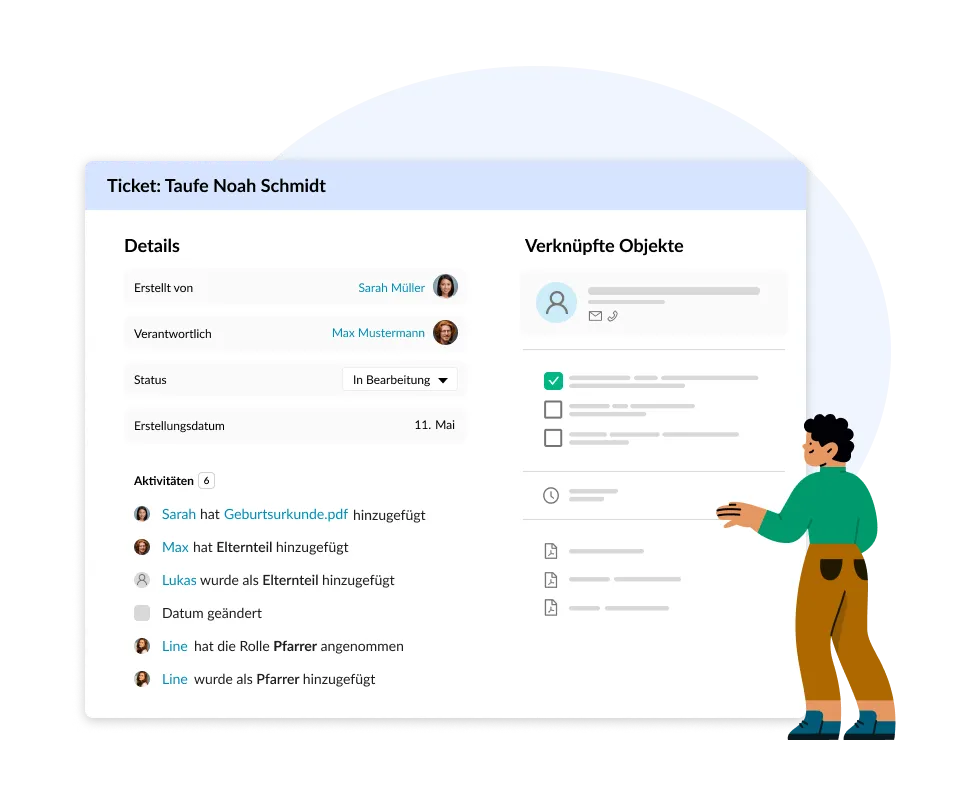
In each case, there is responsibility, status and the complete history: who did what and when, which documents were added and which contact the process is linked to. This means that a process can be immediately traced even after weeks or during a handover.
- Complete history: Every activity, every note and every document remains documented on the case.
- Linked objects: Contacts, appointments and files such as the birth certificate are directly linked to the process.
- Secure processing: Clear responsibility prevents duplicate or contradictory processing.
Smart Replies
Answer recurring enquiries the same way in every parish.
Booking a baptism, hiring the parish hall, the paperwork for a wedding: the same questions reach every parish every week – and everywhere the answer is typed out again or pieced together from an old email. With Smart Replies your staff pick the right template inside the case, ChurchDesk fills in the name and greeting from the linked contact, and when a case is closed the matching reply is suggested automatically.
Templates can be held for a single parish or for the whole portal. That way recurring answers are agreed once and made available everywhere – instead of being written again in every parish.
- Centrally agreed templates: Wording applies to a single parish or to the entire portal – set once, available everywhere.
- The same answer, whoever replies: Holidays, sickness or a change of staff make no difference to how an enquiry is answered.
- Less work per enquiry: Pick a template, the contact details are already in, check it over, send. If something is missing, ChurchDesk warns you before it goes out.
Features
Everything you need for reliable case handling.
Workflows are fully integrated into the platform – cases, contacts, emails and events are intertwined, one shared data set instead of many isolated solutions.
Automatically integrated emails
Incoming emails including attachments are assigned directly to the appropriate case.
Communication from the case
Respond directly from the process – via the appropriate channel, transparently for everyone.
Overview & prioritisation
A filterable overview of all cases to prioritise precisely.
Uninterrupted editing
Locks prevent parallel processing and secure every process.
Self-service for members
Submit a request via the church app and view the case status.
Smart Replies for recurring questions
Agreed reply templates apply to a single parish or the entire portal – the same answer everywhere.
In use across dioceses and regional churches.
- 16
- dioceses and regional churches using ChurchDesk
- 10,000+
- parishes in Europe
- 15+ years
- experience with church processes
Become a development partner.
As a diocese or regional church, you actively shape the further development of workflows – from shared inboxes to self-service for members.
Let's bring order to your processes.
Arrange a non-binding initial consultation – we will show you how your parishes process enquiries reliably and comprehensibly.